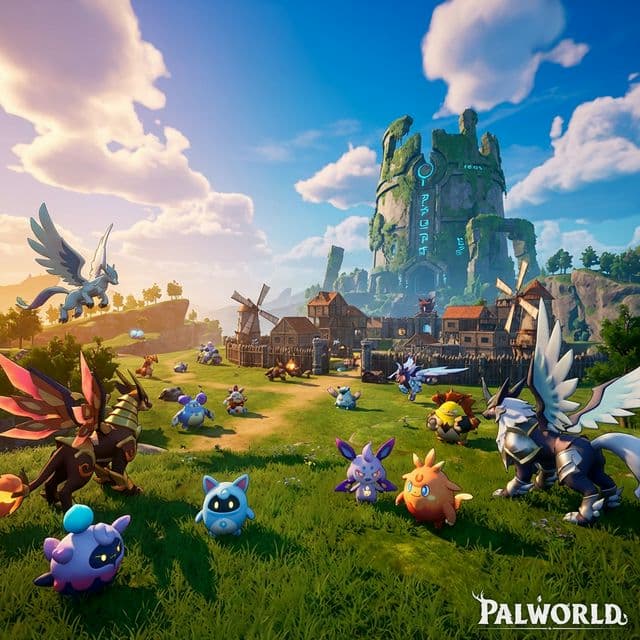
從單人生存到大型多人世界,GameCP 為運行 Palworld 伺服器提供了輕鬆的工具。
在幾分鐘內啟動一個 Palworld 專用伺服器。配置玩家數、難度和世界設置,然後啟動。
通過清晰的 GUI 調整 PalWorldSettings.ini。調整捕捉率、經驗獲得倍率和死亡懲罰,無需觸碰配置文件。
直接在面板中瀏覽並安裝來自 CurseForge 和 Steam Workshop 的模組。只需一鍵安裝即可使用社區內容自定義您的世界。
創建世界備份並恢復到任意時間點。不再丟失基地、Pals 或進度。
全面互動控制台,具有實時日志流、命令自動完成和伺服器監控功能。
在 Pocketpair 發布新補丁時自動更新。零停機版本管理。
Palworld 融合了生存、建造和生物收集。您的伺服器應該能處理這一切。
探索廣袤的開放世界,對抗敵對的 Pals,並與朋友一起生存。
使用由您的 Pals 驅動的自動化生產線建造巨大的基地。
捕捉、繁殖和訓練超過 100 種具有不同技能和元素的獨特 Pals。
Palworld 需要嚴格的管理。GameCP 提供了使您的世界運行順暢的工具——在您自己的硬件上。
在硬件允許範圍內運行任意多的 Palworld 伺服器——分開的 PvE、PvP 和測試世界,無需額外費用。
在不到5分鐘的時間内從零到運行中的 Palworld 伺服器。SteamCMD 安裝和配置自動處理。
每個伺服器都運行在其專有的 Docker 容器中,具有專屬資源,沒有吵鬧的鄰居。
將 GameCP 安裝在任何 Linux 伺服器上——專用伺服器、VPS 或雲實例。完全控制,無廠商鎖定。
Pre-configured server templates with optimized resource profiles. One-click deploy with recommended settings for the best experience.
Back in 2004, nobody was automating game server management. I built GameCP to fix that, and it became the go-to panel for thousands of server admins.
Fast forward to today — too many stale panels stuck in 2012. I rebuilt GameCP from the ground up as a next-generation platform with the tools server admins actually need: real-time metrics, automated deployments, and unlimited servers per node.
No per-slot pricing. No locked-down configs. Just a clean, modern interface and the freedom to run your servers your way.
"If you're tired of clunky panels from a decade ago, this is the upgrade you've been waiting for."
— Will, Founder of GameCP (Est. 2004)

