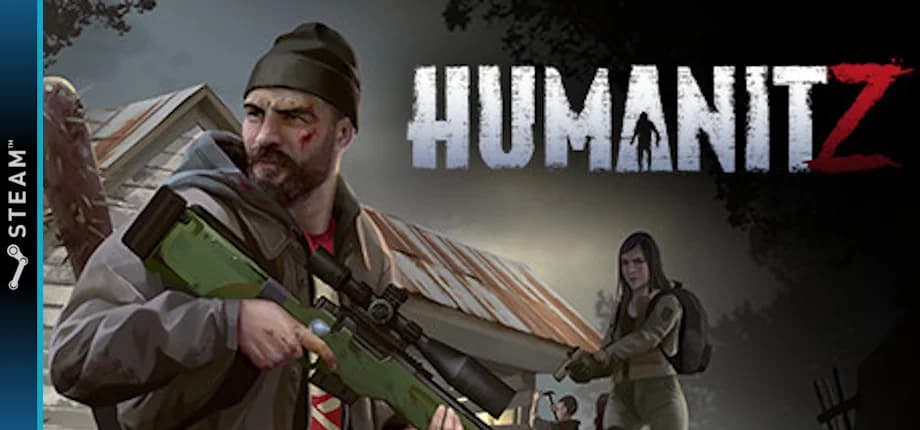
HumanitZ is a co-op, isometric, open world survival game in a world ended by the zombie outbreak. As one of the few human survivors, try to last as long as "humanly" possible. The past can't be changed, but you can make a difference today for the future of humanity.
Here's what you need to run a HumanitZ dedicated server.
Small server, 1-4 players
Medium server, 4-8 players
Large server, 8-16 players
Start hosting from your own computer
Run a HumanitZ server on your desktop, laptop, VPS, or dedicated machine — GameCP automates Docker setup, resource allocation, and HumanitZ configuration instantly. Automatic port forwarding means your friends can connect without touching your router. Start local, scale to a VPS when you're ready.
Skip the manual SteamCMD installation, port forwarding, and systemd configuration. Install on your own computer and start hosting instantly.
The full manual process to host a HumanitZ dedicated server on a VPS. Or install GameCP on your own computer and skip all of this.
Set your server settings, then install Docker, SteamCMD, and pull the HumanitZ container image.
# Update system and install Docker
sudo apt update && sudo apt install -y docker.io
sudo systemctl enable --now docker

# Create game server directory
sudo mkdir -p /opt/gameserver

# Install SteamCMD
sudo mkdir -p /opt/steamcmd
curl -sqL "https://steamcdn-a.akamaihd.net/client/installer/steamcmd_linux.tar.gz" | sudo tar zxvf - -C /opt/steamcmd

# Server configuration
export SAVE_NAME="DedicatedSaveMP"
export ONLY_ALLOWED_PLAYERS="0"
export SAVE_INTERVAL_SEC="300"
export VITAL_DRAIN="0"
export ZOMBIE_AMOUNT_MULTI="1"
export PVP="1"
export PERMA_DEATH="0"
export ON_DEATH="2"
export CLEAR_INFECTION="1"
export WEAPON_BREAK="1"
export EAGLE_EYE="1"
export MULTIPLAYER_SLEEP="1"
export NO_DEATH_FEEDBACK="0"
export MAX_OWNED_CARS="3"
export FOOD_DECAY="1"
export LOOT_RARITY="2"
export LOOT_RESPAWN="1"
export LOOT_RESPAWN_TIMER="60"
export PICKUP_RESPAWN_TIMER="90"
export AIR_DROP="1"
export AIR_DROP_INTERVAL="1"
export ZOMBIE_DIFF_HEALTH="1"
export ZOMBIE_DIFF_SPEED="2"
export ZOMBIE_DIFF_DAMAGE="3"
export ZOMBIE_DOG_MULTI="1"
export HUMAN_DIFFICULTY="3"
export HUMAN_AMOUNT_MULTI="1"
export ZOMBIE_RESPAWN_TIMER="90"
export HUMAN_RESPAWN_TIMER="90"
export ANIMAL_RESPAWN_TIMER="90"
export STARTING_SEASON="1"
export DAYS_PER_SEASON="5"
export DAY_DUR="40"
export NIGHT_DUR="20"
export BUILDING_HEALTH="1"
export ALLOW_DISMANTLE="1"
export ALLOW_HOUSE_DISMANTLE="1"
export TERRITORY="1"
export DECAY="3600"
export PICKUP_CLEANUP="3000"
export FAKE_BUILDING_CLEANUP="3000"
export GEN_FUEL="1"
export DOG_ENABLED="1"
export DOG_NUM="8"
export RECRUIT_DOG="1"
export COMPANION_HEALTH="1"
export COMPANION_DMG="1"
export RCON_ENABLED="true"
export AUTO_UPDATE="1"

# Pull the container image
docker pull ghcr.io/ptero-eggs/steamcmd:debian
Download the HumanitZ dedicated server using Steam App ID 2728330.
# Download HumanitZ server files (App ID: 2728330)
/opt/steamcmd/steamcmd.sh \
  +force_install_dir /opt/gameserver \
  +login ${STEAM_USER} \
  +app_update 2728330 -beta linuxbranch validate \
+quitHumanitZ requires 3 ports to be open for game traffic and queries.
sudo ufw allow 7777/udp
sudo ufw allow 27015/udp
sudo ufw allow 8888/tcp
Start the HumanitZ server using the configuration from Step 1.
docker run -d \
  --name humanitz-server \
  -p 7777:7777/udp \
  -p 27015:27015/udp \
  -p 8888:8888/tcp \
  -e SAVE_NAME="DedicatedSaveMP" \
  -e ONLY_ALLOWED_PLAYERS="0" \
  -e SAVE_INTERVAL_SEC="300" \
  -e VITAL_DRAIN="0" \
  -e ZOMBIE_AMOUNT_MULTI="1" \
  -e PVP="1" \
  -e PERMA_DEATH="0" \
  -e ON_DEATH="2" \
  -e CLEAR_INFECTION="1" \
  -e WEAPON_BREAK="1" \
  -e EAGLE_EYE="1" \
  -e MULTIPLAYER_SLEEP="1" \
  -e NO_DEATH_FEEDBACK="0" \
  -e MAX_OWNED_CARS="3" \
  -e FOOD_DECAY="1" \
  -e LOOT_RARITY="2" \
  -e LOOT_RESPAWN="1" \
  -e LOOT_RESPAWN_TIMER="60" \
  -e PICKUP_RESPAWN_TIMER="90" \
  -e AIR_DROP="1" \
  -e AIR_DROP_INTERVAL="1" \
  -e ZOMBIE_DIFF_HEALTH="1" \
  -e ZOMBIE_DIFF_SPEED="2" \
  -e ZOMBIE_DIFF_DAMAGE="3" \
  -e ZOMBIE_DOG_MULTI="1" \
  -e HUMAN_DIFFICULTY="3" \
  -e HUMAN_AMOUNT_MULTI="1" \
  -e ZOMBIE_RESPAWN_TIMER="90" \
  -e HUMAN_RESPAWN_TIMER="90" \
  -e ANIMAL_RESPAWN_TIMER="90" \
  -e STARTING_SEASON="1" \
  -e DAYS_PER_SEASON="5" \
  -e DAY_DUR="40" \
  -e NIGHT_DUR="20" \
  -e BUILDING_HEALTH="1" \
  -e ALLOW_DISMANTLE="1" \
  -e ALLOW_HOUSE_DISMANTLE="1" \
  -e TERRITORY="1" \
  -e DECAY="3600" \
  -e PICKUP_CLEANUP="3000" \
  -e FAKE_BUILDING_CLEANUP="3000" \
  -e GEN_FUEL="1" \
  -e DOG_ENABLED="1" \
  -e DOG_NUM="8" \
  -e RECRUIT_DOG="1" \
  -e COMPANION_HEALTH="1" \
  -e COMPANION_DMG="1" \
  -e RCON_ENABLED="true" \
  -e AUTO_UPDATE="1" \
  -v /opt/gameserver:/opt/gameserver \
  -w /opt/gameserver \
  ghcr.io/ptero-eggs/steamcmd:debian \
  ./HumanitZServer/Binaries/Linux/HumanitZServer-Linux-Shipping TSSGame -log -port=7777 -queryport=27015 -steamservername=""
GameCP automates every step above: Docker, SteamCMD, port forwarding, startup, and config. Install on your own PC and deploy a HumanitZ server in under 5 minutes.
Deploy with GameCPExplore step-by-step setup guides for other popular games supported by GameCP.
Install GameCP on your own computer and start hosting in minutes. Automatic port forwarding, zero config — your friends connect instantly.
No credit card required · Free tier available · Install local, scale later