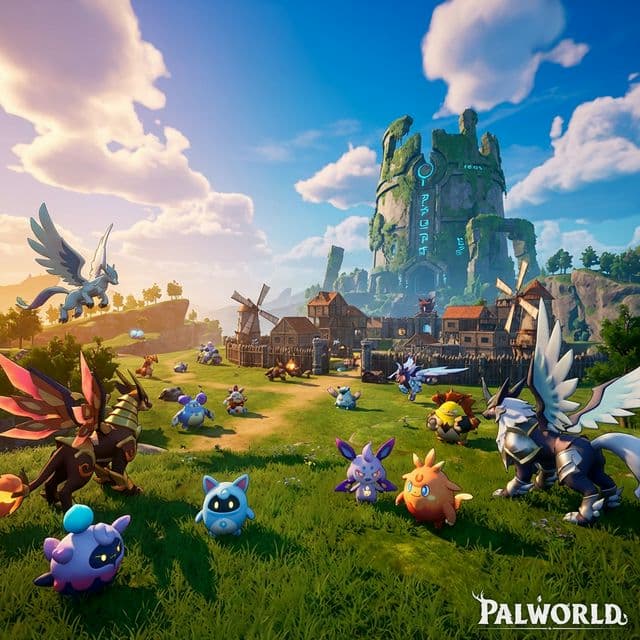
 Palworld Hosting
Host Palworld servers from your own computer in minutes. Automatic port forwarding — catch Pals, build bases, and play with friends instantly.
From solo survival to large multiplayer worlds, GameCP gives you the tools to run Palworld servers effortlessly.
Launch a Palworld dedicated server in minutes. Configure player count, difficulty, and world settings before you start.
Tweak PalWorldSettings.ini through a clean GUI. Adjust capture rates, XP multipliers, and death penalties without touching config files.
Browse and install mods from CurseForge and Steam Workshop directly inside the panel. One-click installs to customize your world with community content.
Create world backups and restore to any point. Never lose your base, Pals, or progress.
Full interactive console with real-time log streaming, command auto-complete, and server monitoring.
Stay current with automatic updates when Pocketpair pushes new patches. Zero-downtime version management.
Palworld blends survival, building, and creature collection. Your server should handle all of it.
Explore a vast open world, battle hostile Pals, and survive together with friends.
Build massive bases with automated production lines powered by your Pals.
Catch, breed, and train over 100 unique Pals with different abilities and elements.
Palworld demands serious management. GameCP gives you the tools to keep your world running — on your own hardware.
Run as many Palworld servers as your hardware handles — separate worlds for PvE, PvP, and testing at no extra cost.
Go from zero to a running Palworld server in under 5 minutes. SteamCMD installs and configs are handled automatically.
Every server runs in its own Docker container with dedicated resources. No noisy neighbors.
Install GameCP on your own PC, laptop, VPS, or dedicated server. Start local, scale later — no vendor lock-in.
Pre-configured server templates with optimized resource profiles. One-click deploy with recommended settings for the best experience.
Back in 2004, nobody was automating game server management. I built GameCP to fix that, and it became the go-to panel for thousands of server admins.
Fast forward to today — too many stale panels stuck in 2012. I rebuilt GameCP from the ground up as a next-generation platform with the tools server admins actually need: real-time metrics, automated deployments, and unlimited servers per node.
No per-slot pricing. No locked-down configs. Just a clean, modern interface and the freedom to run your servers your way.
"If you're tired of clunky panels from a decade ago, this is the upgrade you've been waiting for."
— Will, Founder of GameCP (Est. 2004)
Deploy a Palworld dedicated server in minutes and start exploring with your friends.
Read the Hosting Guide