 Network Manager
Deploy Velocity proxy servers and connect multiple Minecraft backends into a seamless network. One IP, unlimited servers, managed through GameCP.
From small friend groups connecting lobby and survival worlds, to massive networks with hundreds of players — Velocity handles it all.
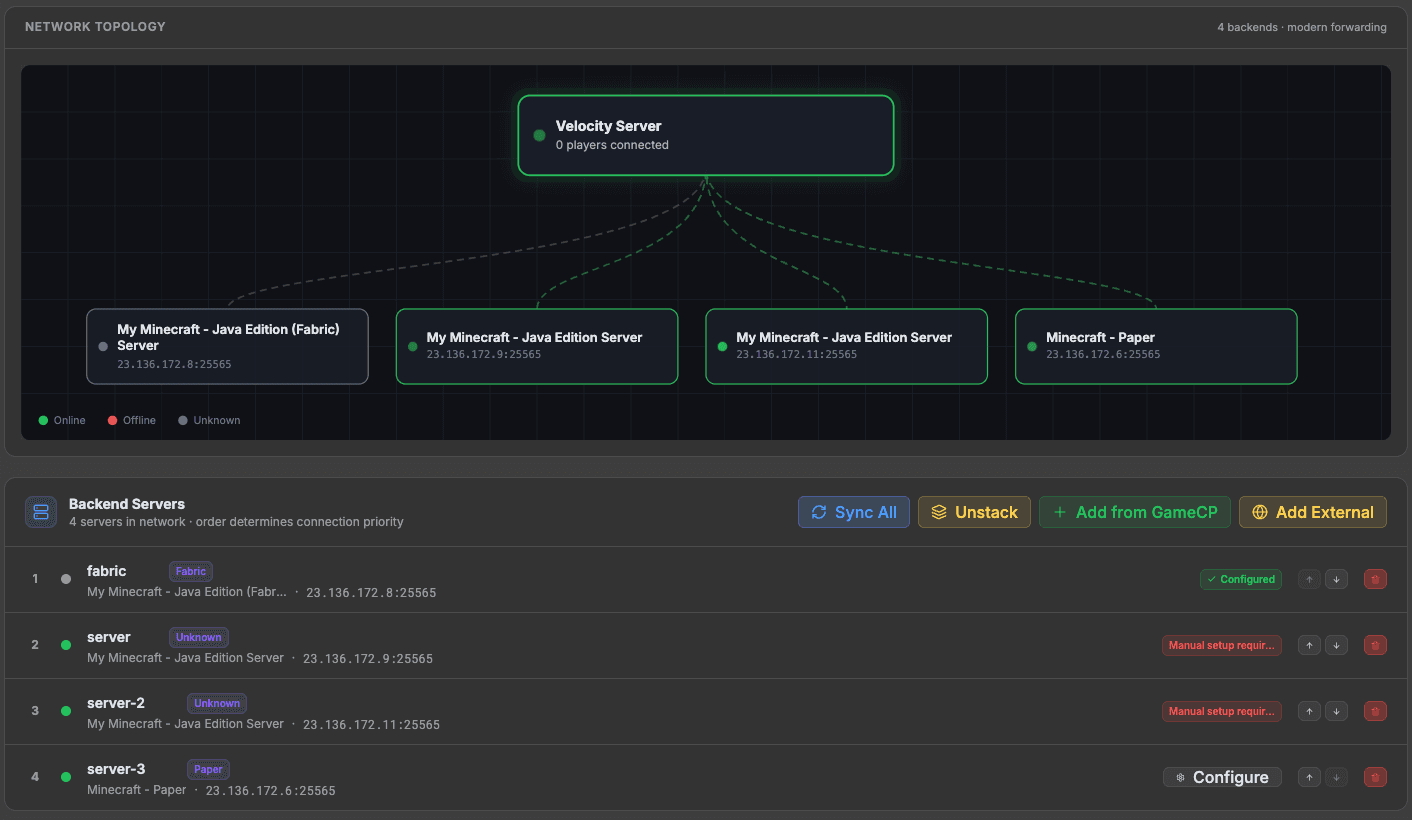
Connect unlimited Minecraft backend servers through a single Velocity proxy. Players move between lobby, survival, creative, and minigame servers seamlessly.
Secure player authentication with Velocity's modern forwarding protocol. Ensures player UUIDs and IPs are passed correctly to backend servers.
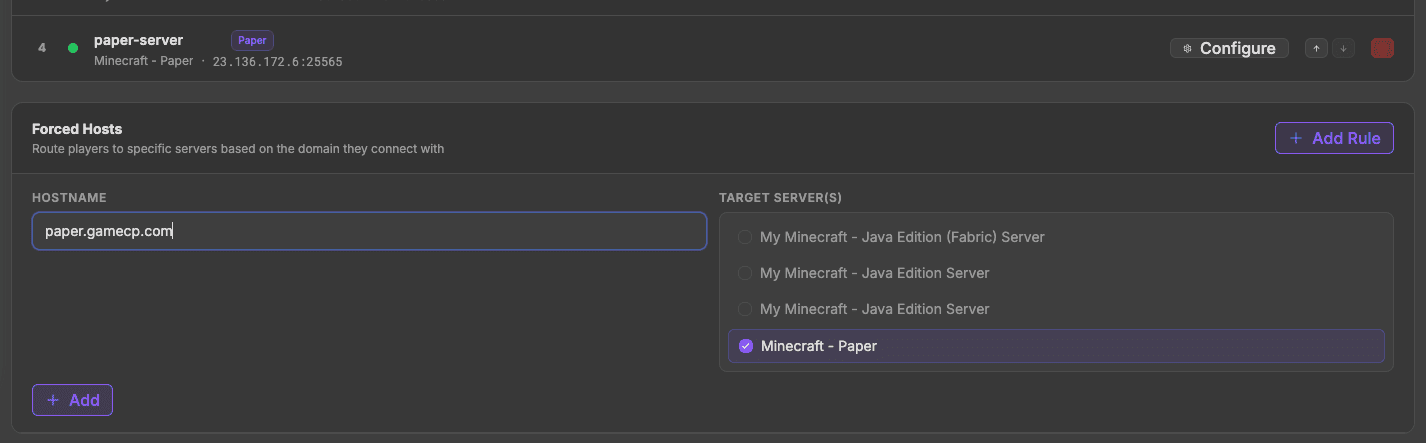
Route players to specific servers on join, configure try-order for fallback servers, and manage forced hosts for different subdomains.
Velocity uses minimal resources compared to other proxies. Handle 500+ concurrent players with just 512MB of RAM.
Install Velocity plugins for custom join logic, chat bridging, tab list formatting, server switching, and more.
Add or remove backend servers without restarting the proxy. Changes take effect immediately through the GameCP panel.
Velocity sits between your players and your backend servers. One connection point, infinite possibilities.
Players connect to one IP address and seamlessly move between all your backend servers.
Backend servers are never exposed directly. The proxy layer adds an extra shield against attacks.
Players switch servers without disconnecting. Inventory, chat, and session state transfer smoothly.
Watch how GameCP makes managing your Minecraft Velocity network effortless — from deployment to player management.
Go from zero to a fully managed Minecraft network in minutes.
Create your Minecraft backend servers (Lobby, Survival, Creative, etc.) through GameCP. Use Paper, Fabric, Forge, or any server software.
Deploy a Velocity proxy server with one click. GameCP auto-configures the proxy with your backend servers' addresses.
Set up server priorities, forced hosts, and join order through the GameCP panel. Configure which server players land on first.
Give your players a single IP address. They connect to the proxy, and Velocity handles routing them to the right backend server.
Pre-configured server templates with optimized resource profiles. One-click deploy with recommended settings for the best experience.
Back in 2004, nobody was automating game server management. I built GameCP to fix that, and it became the go-to panel for thousands of server admins.
Fast forward to today — too many stale panels stuck in 2012. I rebuilt GameCP from the ground up as a next-generation platform with the tools server admins actually need: real-time metrics, automated deployments, and unlimited servers per node.
No per-slot pricing. No locked-down configs. Just a clean, modern interface and the freedom to run your servers your way.
"If you're tired of clunky panels from a decade ago, this is the upgrade you've been waiting for."
— Will, Founder of GameCP (Est. 2004)
Deploy a Velocity proxy and connect your Minecraft servers into a seamless network. Free to start.
No credit card required · Unlimited backend servers · Cancel anytime
View all Minecraft templates