
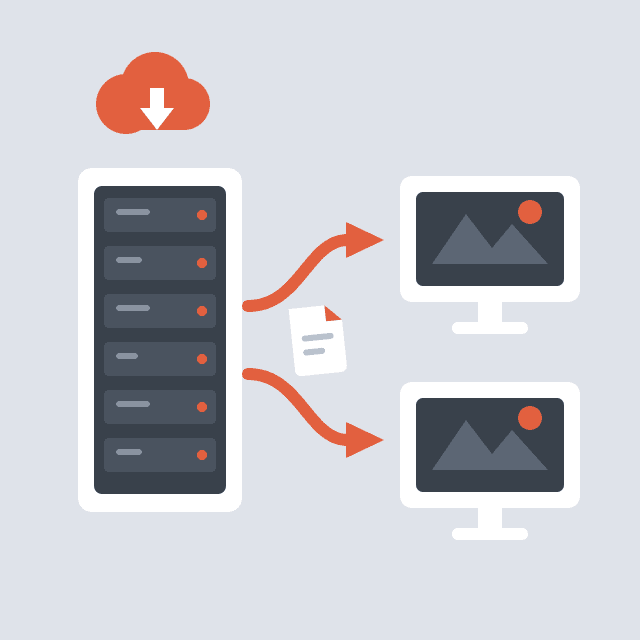
FastDL: Fast Content Delivery for Custom Maps
When a player joins a server running custom maps, models or sounds they don't have, the game engine downloads that content over the game's own UDP connection — a trickle that often takes minutes and causes timeouts. FastDL points clients at an HTTP URL instead, so downloads run at full bandwidth.
GameCP has FastDL built into every node. There is no separate web server to install, no bucket to configure, and no files to sync — the node serves the game server's own content directory over HTTP.
Supported Games
FastDL is defined per game template. These official templates ship with it enabled:
- Counter-Strike 1.6
- Counter-Strike: Source
- Team Fortress 2
- Garry's Mod
- Left 4 Dead
- Left 4 Dead 2
Any GoldSrc or Source engine game with a download URL cvar (sv_downloadurl) can use it — see Template Configuration below to enable it on your own template.
Turning It On
Open your game server, go to the Maps tab, and find the Content Delivery card. There are three modes:
| Mode | What it does |
|---|---|
| Auto FastDL (recommended) | The node serves content itself. GameCP fills in the download URL for you. |
| Custom URL | Point clients at your own CDN, web server, or R2/S3 bucket. |
| Disabled | Clients download from the game server directly over UDP. Slow, not recommended. |
Pick Auto FastDL and save. The URL shown is:
http://<node-ip>:<node-port>/fastdl/<server-id>/
Use the copy button next to it to test the URL in a browser, or hand it to a tool that needs it.
Restart required. The download URL is written into the server's environment when the server starts. Restart the game server after changing the mode.
What Gets Served
The node serves files from the game server's own directory — the same files you see in the File Manager. Nothing is copied or mirrored.
Only the directories listed in the template are exposed. Defaults are maps, materials, models, sounds, and each template narrows this to what the game actually uses:
| Game | Game directory | Served directories |
|---|---|---|
| Team Fortress 2 | tf | maps, materials, models, sound |
| Counter-Strike 1.6 | cstrike | maps, models, sound, sprites |
| Counter-Strike: Source | cstrike | maps, materials, models, sounds |
| Garry's Mod | garrysmod | maps, materials, models, sound, particles, lua |
The Maps tab shows the exact list as badges under the Auto FastDL option.
To add content, upload it into those folders with the File Manager or SFTP — for example tf/maps/ctf_custom.bsp. It's downloadable immediately; no re-index or restart is needed for new files.
Both path forms work in a request, with or without the game directory prefix:
/fastdl/<server-id>/maps/ctf_custom.bsp
/fastdl/<server-id>/tf/maps/ctf_custom.bsp
Compression (bzip2)
Source engine clients prefer .bz2 copies of content — a 60 MB map often ships as a 15 MB .bz2, so players wait a quarter as long.
The node can build these for you. Trigger a pass over the server's content directories with:
POST /fastdl/<server-id>/compress
Each eligible file gets a .bz2 written next to it (originals are kept, maximum compression). Files that already have an up-to-date .bz2 are skipped, so re-running it is cheap. The response reports how many files were compressed, skipped, and failed.
Compressible types: .bsp, .nav, .ain, .vtf, .vmt, .mdl, .phy, .vtx, .vvd, .ani, .wav, .pcf, .res.
Two things to know:
bzip2must be installed on the node. It ships with most Linux distributions; if compression reports failures, install it (apt install bzip2).- If a client asks for an uncompressed file that isn't on disk but a
.bz2exists, the node serves the compressed copy. You can safely delete the originals after compressing.
Custom URL Mode
If you already run a CDN or web host, choose Custom URL and paste it in — for example https://cdn.example.com/gameserver/. Your URL is left alone; GameCP never overwrites a download URL that isn't one of its own FastDL URLs.
Your host must mirror the same layout the game expects (maps/, materials/, …) and serve files over plain HTTP/HTTPS. Keeping it in sync is up to you — that's the trade-off against Auto FastDL.
Security and Limits
The download route is public by design: game clients can't authenticate. It's locked down instead:
| Protection | Detail |
|---|---|
| Read-only | GET only. Nothing can be uploaded, changed, or deleted through it. |
| Extension whitelist | Only game asset types (.bsp, .vtf, .vmt, .mdl, .phy, .vtx, .vvd, .wav, .mp3, .pcf, .spr, .res, .txt, .nav, .ain, .ani, and their .bz2 forms). |
| Directory whitelist | Only the content directories named in the template. Config files, logs, and binaries are unreachable. |
| Path traversal blocked | Requests that try to escape the server folder are rejected and logged. |
| Rate limiting | 200 files per minute per IP. |
| Per-server gate | Serving is refused unless that server's template has FastDL enabled in auto mode. |
Responses are cached by clients for 24 hours and revalidated with ETags, so repeat joiners re-download nothing.
Make sure the node's web port is reachable from the internet — players connect to it directly, not through GameCP.
Node API Reference
| Endpoint | Auth | Purpose |
|---|---|---|
GET /fastdl/<server-id>/<path> | Public | Download a content file. This is what game clients hit. |
GET /fastdl/<server-id> | — | Status: whether it's enabled, served directories, file count, total size. |
POST /fastdl/<server-id>/compress | Node API key | Build .bz2 copies of all eligible content. |
Template Configuration
Everything above is per-server. What a game offers is defined on the template, in Game Config → Maps & Content → Content Delivery. The same settings live under mapConfig.fastDL if you're editing or importing template JSON:
"fastDL": {
  "enabled": true,
  "auto": true,
  "envVar": "SV_DOWNLOADURL",
  "gameDir": "tf",
  "contentDirs": ["maps", "materials", "models", "sound"],
  "compress": true
}
| Field | Editor label | Purpose |
|---|---|---|
enabled | FastDL | Shows the Content Delivery card on the Maps tab. |
auto | Serve Content From The Node | Lets the node serve files itself. Without it, only Custom URL mode is available. |
envVar | Download URL Variable | The environment variable holding the download URL — SV_DOWNLOADURL for Source and GoldSrc. |
gameDir | Game Directory | Game subdirectory inside the server folder (tf, cstrike, csgo, garrysmod). |
contentDirs | Served Directories | Directories to expose. Defaults to maps, materials, models, sounds. |
compress | Compress Content | Enables serving .bz2 copies when the plain file is absent. Defaults to true. |
allowedExtensions | Allowed Extensions | Optional override of the extension whitelist. Leave empty for the safe defaults. |
Both enabled and auto must be on for the node to serve files.
Changing this on a template affects new servers immediately; existing servers pick it up on the next template sync.
Troubleshooting
| Symptom | Cause | Fix |
|---|---|---|
| Players still download slowly | Server was started before the mode was set | Restart the game server |
403 FastDL not enabled for this server | Template has enabled or auto off | Turn on both FastDL and Serve Content From The Node in Game Config → Maps & Content |
403 Directory not allowed | Requested folder isn't in contentDirs | Add it to the template, or move the file |
403 File type not allowed | Extension isn't whitelisted | Use a supported asset type, or extend allowedExtensions |
404 File not found | File isn't on disk under the game directory | Check the path in the File Manager |
429 Too many requests | More than 200 files/minute from one IP | Compress content to .bz2 so fewer, larger requests are made |
| URL unreachable from outside | Node's web port closed | Open the port in the node's firewall |
| Compression returns failures | bzip2 missing on the node | Install it on the node host |
Tips
- Compress content after every map pack upload — it's the single biggest win for join times.
- Test the URL in a browser before blaming the client: opening
http://<node-ip>:<node-port>/fastdl/<server-id>/maps/<map>.bspshould start a download. - Source servers also need
sv_allowdownload 1; clients withcl_downloadfilter nosoundswon't pull audio no matter what you serve. - Switching from Custom URL back to Auto is safe — GameCP only fills in the URL when the field is empty or already a FastDL URL.